Low Power Mode
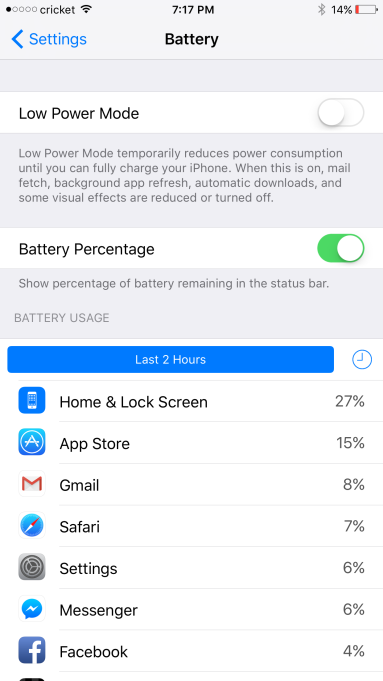
When your battery is hovering around 20%, iOS will ask you if you want to enable “Low Power Mode”. Once toggled, it’ll disable mail fetch, background app refresh, automatic downloads, and a few other things that might help you squeeze some extra time out of your battery.
Once you plug it back in and have charged it a bit, low power mode will disable itself.
You can also turn this setting on manually under Settings > Battery.