
Detailed Battery Usage
Sometimes the apps that eat your battery the most are the ones you actually see the least.
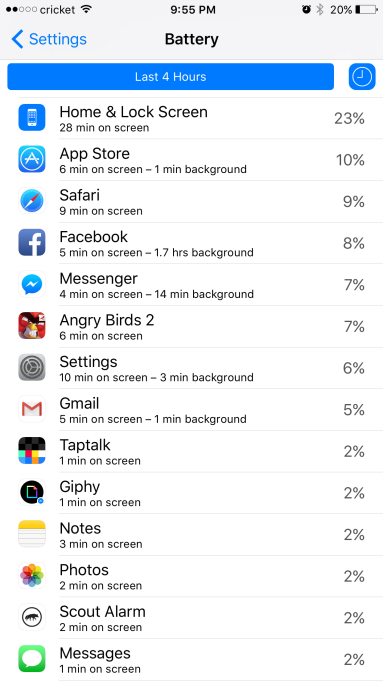
iOS has long been able to tell you how much battery each app was guilty of eating, but now it provides an extra bit of information: the amount of time you were actually looking at it, compared to how much time it spent just devouring juice in the background. To expose the new info, go to Settings > Battery, then tap the clock icon at the top of the app list.
Article Categories:
Articles


