

Image Markup
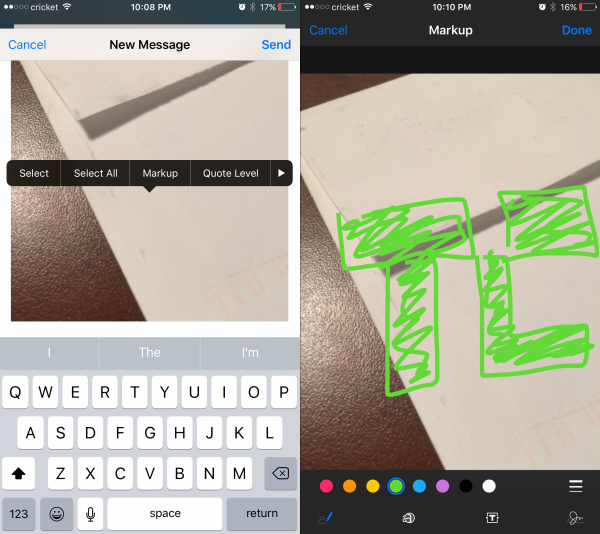
Want to point directly at something in image you’re attaching? Just doodle it right on the photo.
Attach the photo to the email (hold your finger in the body of the email for a second, release, hit the right arrow button, then tap “Insert Photo or Video” and pick your image). Once it’s in place, do another long tap on the image itself, then release. An option labeled “Markup” should appear; tap that, and doodle away.
Article Categories:
Articles


